
AnythingLLM Mobile vs Google AI Edge Gallery: from demo app to daily assistant
Google AI Edge Gallery is a great showcase of what on-device models can do. AnythingLLM Mobile is built to be used every day, with any GGUF model, your documents, web search, and sync with your desktop.
Updated October 2026Google AI Edge Gallery is one of the most popular ways people try a local model on their phone. It is free, open source, backed by Google, and it is a great way to see Gemma run on your own device, with image and audio input, a prompt lab, and benchmarks.
It is also, by Google's own description, an experimental app in active development. Its job is to show off what Google's on-device stack can do. It is not trying to be the assistant you use every day.
AnythingLLM Mobile is. It runs the same kind of small models, including Gemma 4, and then connects them to the things that make an assistant useful: your documents, the web, your calendar, files, scheduled jobs, and your desktop.
Google AI Edge Gallery vs AnythingLLM Mobile
| Feature | AnythingLLM | AI Edge Gallery |
|---|---|---|
| Platforms | Android | Android, iOS |
| Price | Free, no account | Free |
| Open source | GPL-3.0 | Apache 2.0 |
| Model format | Any GGUF from Hugging Face | LiteRT models only |
| Gemma 4 on device | Yes | Yes |
| Vision | Yes | Yes |
| Chat with your documents | PDF, Word, Excel, PowerPoint, and more | No |
| Web search | Built in, no API key | Wikipedia skill only |
| Generate files | PDF, Word, PowerPoint, text | No |
| Scheduled background jobs | Yes | No |
| Reminders, timers, calendar | Yes | No |
| Cloud and desktop models | 20 providers, plus AnythingLLM Desktop | No |
| Sync with a desktop app | Pairs by QR code | No |
| Set as default Android assistant | Yes | No |
| GPU acceleration | No | Yes |
| Audio transcription and translation | No | Yes |
Any model, not just one format
AI Edge Gallery runs models packaged for Google's LiteRT runtime. That covers Gemma and a handful of others, but not the thousands of GGUF models people actually share on Hugging Face.
AnythingLLM Mobile runs GGUF through llama.cpp. Pick from a curated list built for phones, including Gemma 4 E2B and E4B, Gemma 3, Qwen 3.5, Qwen3-VL, Llama 3.2, Granite, and LFM 2.5, or search Hugging Face for anything else. Every model shows a fit badge that compares its size to your phone's memory before you download it.
An assistant that knows your stuff
Gallery is built for trying prompts. AnythingLLM Mobile is built for your work:
- Documents. Add PDF, Word, Excel, PowerPoint, CSV, Markdown, and other files to a workspace. They are embedded on your phone and searched with an on-device reranker, so you can ask questions about them offline.
- The web. Built-in web search with no API key, plus reading web pages and YouTube transcripts from a link.
- Files. Ask for a PDF, Word document, PowerPoint deck, or text file and share it straight from the app.
- Your day. Reminders, alarms, timers, and your calendar. Draft emails and texts.
- Background work. Scheduled jobs run on a timer and notify you when they are done.
- Memory that you control, globally or per workspace.
It also fits into Android itself: set it as your default digital assistant, use "Ask with AnythingLLM" from the text selection menu in any app, or share content into it.
Bigger models when you need them
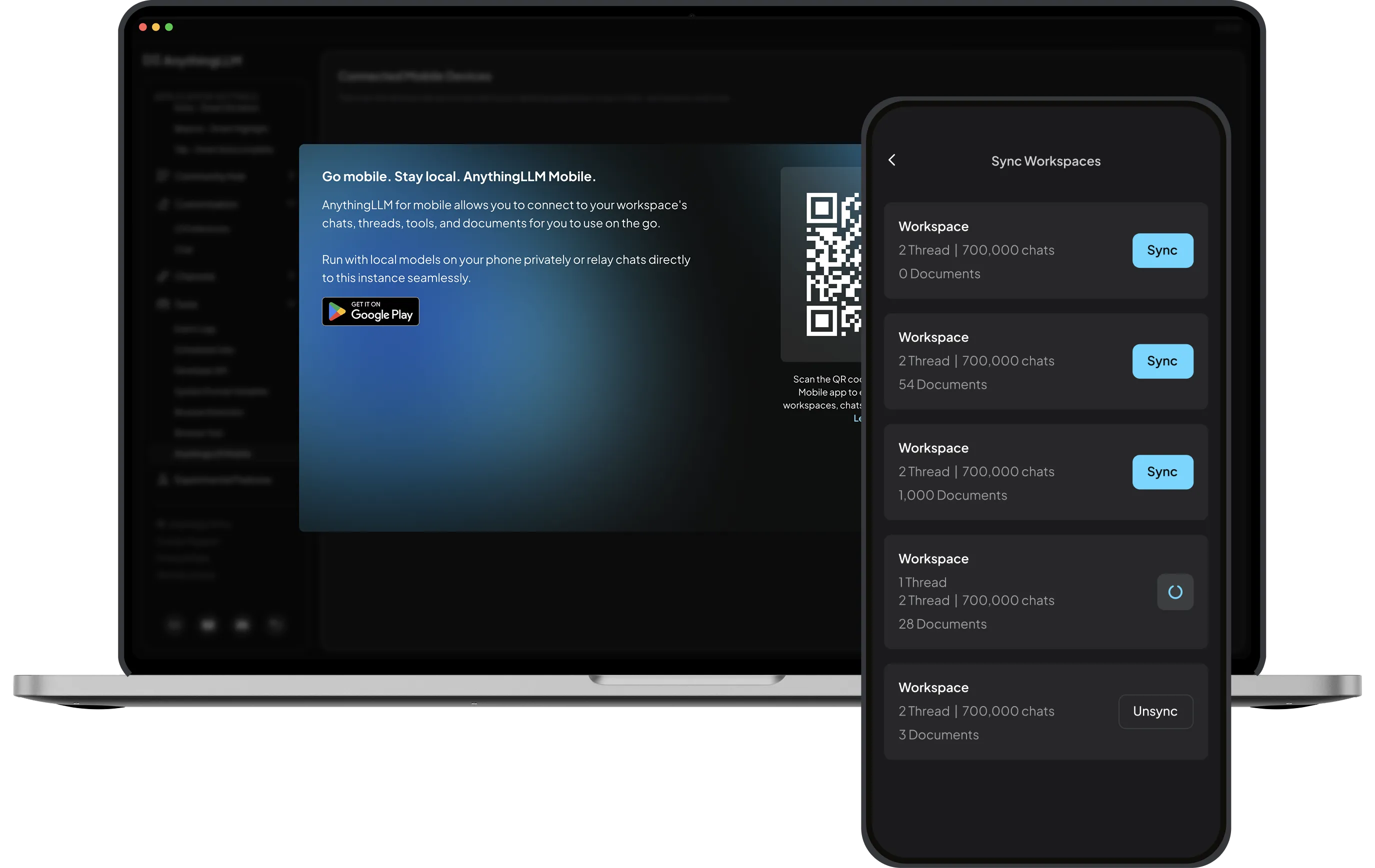
A phone can only run so much. AI Edge Gallery stops there. AnythingLLM Mobile can also connect to 20 providers, including OpenAI, Anthropic, Gemini, OpenRouter, Ollama, and LM Studio. Or scan a QR code in AnythingLLM Desktop and your phone brings over your workspaces, threads, and chats. Questions in those workspaces run against your desktop, with its bigger models and full document library, and come back with citations.
Where AI Edge Gallery is ahead
Gallery runs on iOS as well as Android, uses the GPU through LiteRT, transcribes and translates audio on device, and has experimental Mobile Actions and loadable agent skills. If you want to explore the edges of Google's on-device stack, it is the best place to do it.
Try it
Get AnythingLLM Mobile from Google Play or as a direct APK. Download Gemma 4 or Qwen 3.5, add a document, and ask it something. No account required.
Frequently asked questions
›Can I run Gemma 4 with AnythingLLM Mobile?
Yes. Gemma 4 E2B and E4B are in AnythingLLM Mobile's curated model list as GGUF files, alongside Gemma 3, Qwen 3.5, Llama 3.2, Granite, and LFM 2.5. You can also import any other GGUF from Hugging Face.
›Can Google AI Edge Gallery chat with my documents?
Not as of October 2026. AI Edge Gallery has no document knowledge base. AnythingLLM Mobile embeds PDF, Word, Excel, PowerPoint, and other files on your phone so you can ask questions about them offline.
›Is AnythingLLM Mobile available on iPhone?
Not yet. AnythingLLM Mobile is Android only today. Google AI Edge Gallery is available on both Android and iOS.