
AnythingLLM vs Granola: a free, on-device Granola alternative
Granola does not send a bot to your call, but your meeting still goes to the cloud for transcription and summaries. AnythingLLM's Meeting Assistant does the whole thing on your computer, with no plan and no history limit.
Updated October 2026Granola got something important right: no bot should have to join your call. It listens to your computer's audio, and nobody on the meeting sees a "notetaker has joined" message. That is a real improvement over Otter, Fireflies, and Fathom.
But bot-free is not the same as private. According to Granola's own security page, your meeting is transcribed in the cloud by providers like Deepgram and AssemblyAI, summarized by OpenAI and Anthropic models, and stored on AWS in the US. And unless you opt out, Granola uses your notes to train its own models.
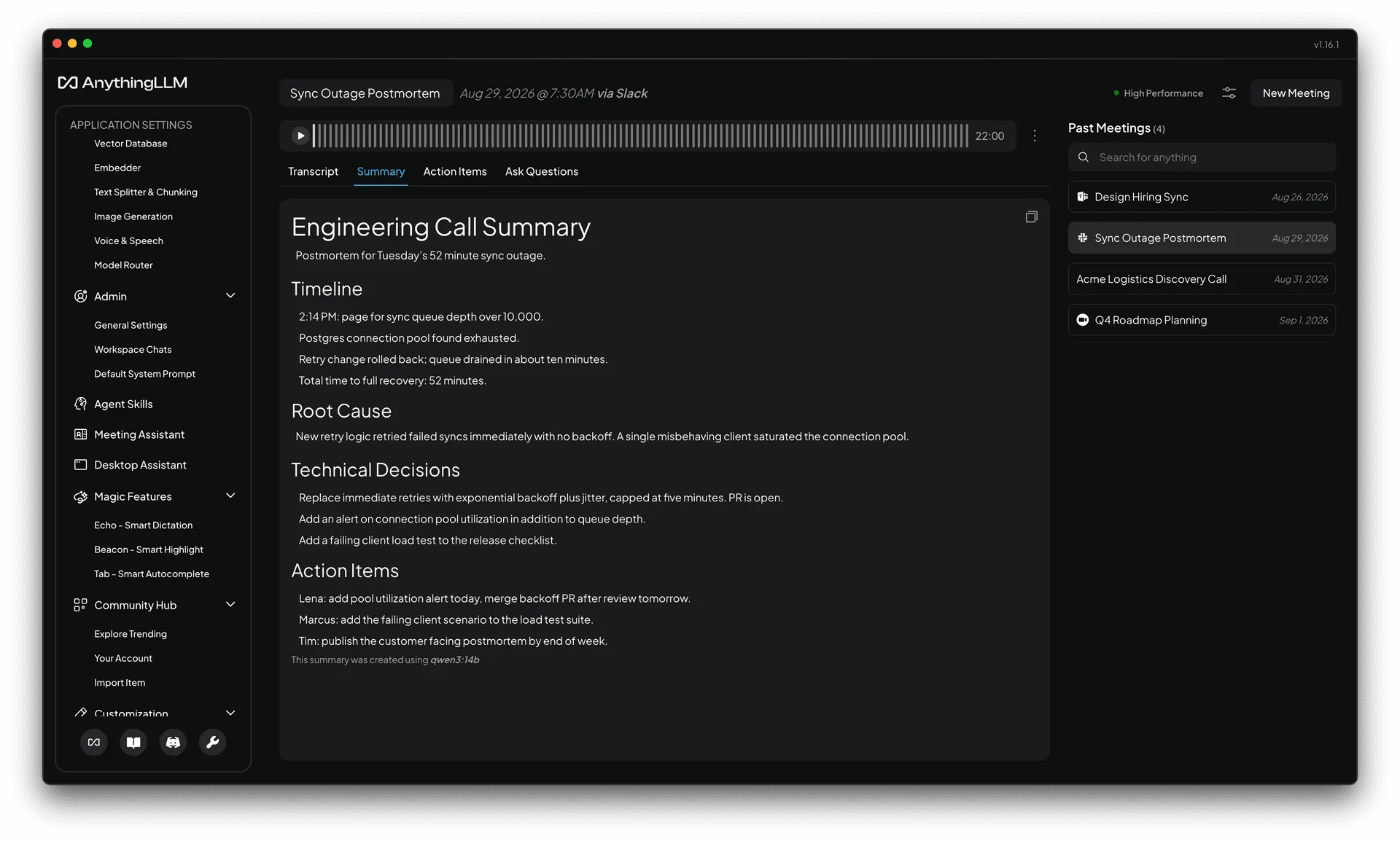
The Meeting Assistant in AnythingLLM Desktop is bot-free too. The difference is that the whole pipeline, from audio to transcript to speaker labels to summary, can run on your own computer. And it is free, with no history limit.
Granola vs AnythingLLM Meeting Assistant
| Feature | AnythingLLM | Granola |
|---|---|---|
| Bot-free recording | Yes | Yes |
| Works with Zoom, Meet, Teams, Slack, and more | Yes | Yes |
| Where transcription runs | On your computer | Cloud (Deepgram, AssemblyAI) |
| Where summaries run | Your choice of model, including fully local | Cloud (OpenAI, Anthropic) |
| Where notes are stored | On your computer | Granola's cloud (AWS, US) |
| Trains on your notes | Never. We cannot see them | By default, unless you opt out |
| Free plan history | Unlimited | 30 days |
| Price | Free | $0, $14, or $35 per user per month |
| Speaker labels | On-device diarization | Yes |
| Custom summary templates | Yes | Yes |
| Chat across all your meetings | Included free, plus your documents and agents | Auto model only on the free plan |
| Platforms | macOS and Windows | macOS, Windows, iOS, Android |
Private by architecture, not by policy
Every cloud note taker asks you to trust a privacy policy. Granola's is better than most, with SOC 2 Type 2, encryption, and contracts with its AI providers. But the audio of your meeting still has to leave your computer for any of it to work, and the notes live on someone else's servers.
AnythingLLM does not ask for that trust, because there is nothing to trust. The Meeting Assistant runs NVIDIA's Parakeet speech model and an on-device diarization model directly on your Mac or PC. Transcription never touches the network. Summaries use whichever model you set up in AnythingLLM, and with a local model the entire meeting stays on your machine from start to finish. We built the engine behind it specifically so this would be fast on an ordinary laptop: a three hour meeting transcribes in a few minutes.
That matters for lawyers, doctors, finance teams, anyone under an NDA, and anyone whose company has a data protection officer. It also matters for the other people on your call, who never agreed to have their voice sent to a third party.
Free means no 30-day history
Granola's free Basic plan keeps a limited meeting history, 30 days according to its pricing page. Unlimited history, better models, and integrations start on Business at $14 per user per month. Enterprise, at $35 per user per month, is the plan where model training is off by default for your whole organization.
AnythingLLM's Meeting Assistant has no plan at all. Record a ten minute standup or a four hour board meeting. Keep every meeting forever. It costs nothing, because it runs on hardware you already own and we are not paying for GPUs on your behalf.
Your meetings become part of your context
Meeting notes, dictation, document chat, and agents are all sold as separate products today, each with its own app, its own bill, and its own copy of your data, and none of them talk to each other. A standalone note taker knows about your meetings and nothing else.
AnythingLLM is one app. The Meeting Assistant shares the same models, workspaces, and agents as everything else in it, including Magic Echo dictation and document chat. Every transcript is embedded into your local knowledge base alongside your documents. So you can:
- Search every meeting you have ever had, by meaning or by keyword, and jump straight to the moment in the recording.
- Ask questions across meetings and documents together. "What did the customer say about pricing, and how does that compare to our proposal doc?"
- Turn action items into actions. Action items can call your agent skills and MCP tools, so "send the recap to the team" can actually happen.
- Shape every summary with built-in templates for general meetings, sales calls, and engineering syncs, or write your own.
- Fix things. Rename speakers, correct a word, regenerate a summary with a different template.
- Bring in old recordings. Drop in any audio or video file and it goes through the same pipeline.
How Granola compares to other note takers
If you are shopping around, here is the quick picture as of October 2026. Otter, Fireflies, and Fathom all send a bot into your meeting and process everything in the cloud, with free tiers capped by minutes or features. Krisp is bot-free, but on-device transcription is only listed on its Enterprise plan. Granola is bot-free but cloud processed.
AnythingLLM is the one that is bot-free, on-device, and free at the same time. We wrote more about why in Your laptop can take meeting notes now.
When Granola might fit better
Granola has a polished notepad experience, mobile apps for in-person meetings, and native integrations with Notion, HubSpot, and Zapier on paid plans. If your team is already on those tools, is comfortable with cloud processing, and wants shared folders across the company, it is a good product.
If you would rather your meetings never leave your computer, and never cost you anything, download AnythingLLM and open Meeting Assistant from the sidebar. The speech model downloads once, and after that everything runs locally.
The Meeting Assistant is available on macOS (Apple Silicon and Intel) and Windows (x64 and ARM64). Linux support is coming.
Frequently asked questions
›Is there a free alternative to Granola?
Yes. AnythingLLM's Meeting Assistant is included free in AnythingLLM Desktop for macOS and Windows. It records, transcribes, separates speakers, and summarizes meetings on your own device, with no minute caps or history limits.
›Does Granola process meetings in the cloud?
Yes. According to Granola's security page, it captures audio on your device without a bot, but transcription runs through cloud providers such as Deepgram and AssemblyAI, and summaries are generated with OpenAI and Anthropic models. Notes are stored on AWS in the US.
›Does AnythingLLM's Meeting Assistant work with Zoom, Google Meet, and Teams?
Yes. It captures your microphone and system audio, so it works with any meeting app, including Zoom, Google Meet, Teams, Slack huddles, and Discord. It can also notice when a call starts and offer to record. No bot joins the meeting.
›Can I use a local LLM for meeting summaries?
Yes. Summaries use whichever model you have set up in AnythingLLM. With a local model, the entire pipeline, from audio to transcript to summary, runs on your computer.
›Does AnythingLLM's Meeting Assistant work on Linux?
Not yet. The Meeting Assistant is available on macOS (Apple Silicon and Intel) and Windows (x64 and ARM64).