
AnythingLLM Magic Echo vs Wispr Flow: on-device dictation that is part of your AI
Wispr Flow is great dictation that runs in the cloud and lives in its own app. Magic Echo transcribes on your computer, cleans up your words with your own model, and is part of the same AnythingLLM you use for documents, meetings, and agents.
Updated October 2026Wispr Flow showed a lot of people that talking to your computer can be faster than typing. Hold a key, speak, and polished text appears in whatever app you are in. It is a genuinely good product.
It is also a cloud product, and a separate one. Wispr Flow's data controls page is direct about it: "Transcription always occurs on the cloud." Your voice goes to Wispr's servers and its AI providers every time you dictate. And whatever you dictate stays inside Wispr Flow. It does not know your documents, your meetings, or the AI you use for everything else.
Magic Echo is the dictation built into AnythingLLM Desktop. It does the same everyday job, speak anywhere and get clean text, but the transcription runs on your computer. The cleanup uses your own model. And it is one part of a single app, not another subscription.
Wispr Flow vs Magic Echo
| Feature | AnythingLLM | Wispr Flow |
|---|---|---|
| Dictate into any app | Yes | Yes |
| Where transcription runs | On your computer | Cloud only |
| Works offline | Raw dictation, yes | No |
| Who cleans up your text | Your own LLM, local or cloud | Wispr's cloud AI providers |
| Screen context | Optional, using your own vision model | Optional, text from the active app |
| Free plan | Unlimited raw dictation, plus a daily allowance of smart dictation | 2,000 words per week on desktop |
| Paid plan | Optional Pro for unlimited smart dictation | $12–$15 per user per month |
| Custom vocabulary | Yes | Yes |
| Voice commands and snippets | Yes | Yes |
| Dictation history | Yes | Yes |
| Meeting notes | Meeting Assistant, on-device, free | Notetaker, with weekly limits on the free plan |
| Chat with documents, agents, MCP | Yes | No |
| Platforms | macOS and Windows | macOS, Windows, iOS, Android |
One app, not a stack of subscriptions
This is the part that matters most. Dictation, meeting notes, document chat, writing help, and agents are all being sold as separate products today. Each has its own app, its own account, its own monthly bill, and its own copy of your data. None of them talk to each other. Your dictation app does not know what was said in your meeting. Your meeting app does not know what is in your documents. Your chat app does not know either of them exists.
AnythingLLM is built the other way around. Magic Echo, the Meeting Assistant, Magic Beacon, Magic Tab, document chat, and agents are all the same app, sharing the same models, settings, and data:
- One model setup. The local or cloud model you pick in AnythingLLM is the one that cleans up your dictation, summarizes your meetings, answers questions about your documents, and runs your agents. Configure it once.
- Your meetings feed everything else. Meeting transcripts become part of your knowledge base, so a decision from Tuesday's call is there when you ask about it on Thursday.
- Talk to your agents. Dictate a request into AnythingLLM and it can search your documents, browse the web, write a file, or run an MCP tool. Highlight text in any app with Magic Beacon and hand it to an agent that knows your workspaces.
- One place to look. One app to install, one set of privacy settings, one place your data lives, on your computer.
Wispr Flow has started adding a Notetaker for meetings, which tells you where the market is heading. But it is still a separate tool with its own limits, disconnected from your documents and the rest of your AI. In AnythingLLM, it is all one system, and it gets more useful the more you use any part of it.
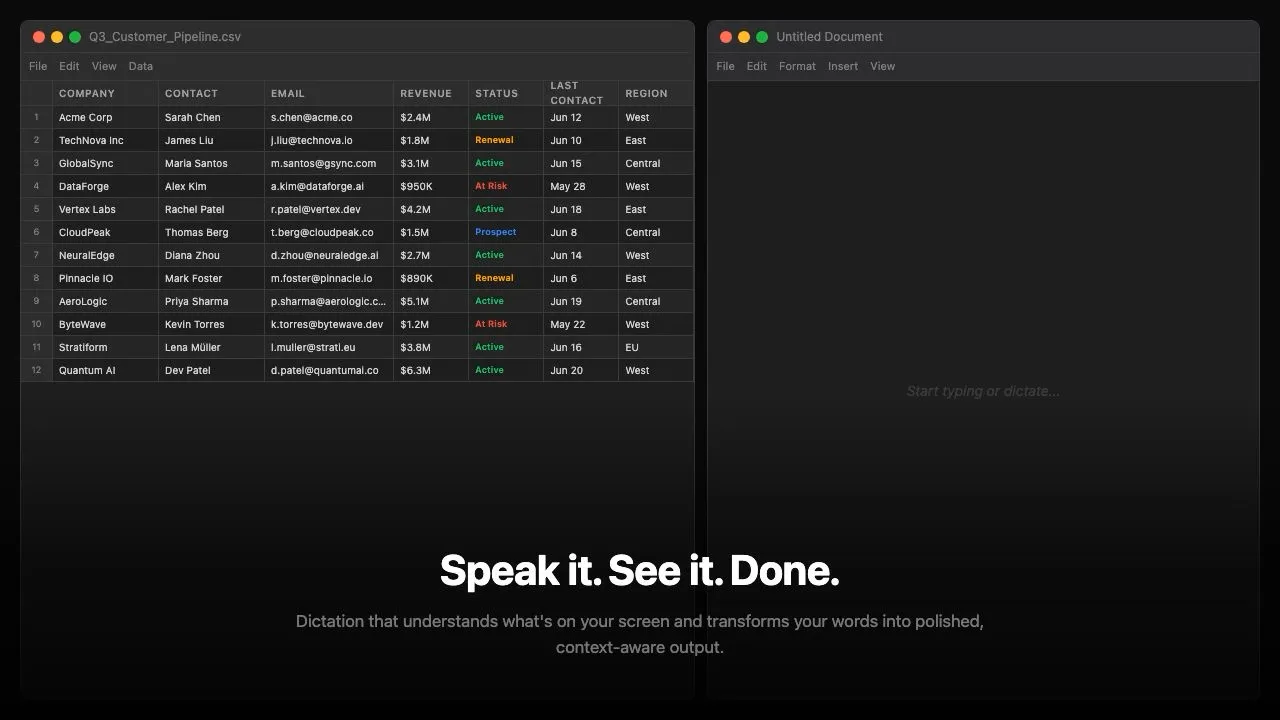
Your voice stays on your computer
Magic Echo downloads a speech model the first time you turn it on. After that, transcription happens on your machine, with no network connection required. Raw dictation, your exact words inserted where your cursor is, never leaves your computer.
Smart dictation adds a cleanup pass: fixing punctuation, dropping filler words, and formatting text for the app you are in. That pass runs on whatever model you have chosen in AnythingLLM. Use a local model and the whole thing, from your voice to the final text, happens on your device. Use a cloud model if you prefer, and only the transcribed text (plus screenshots, if you turn on on-screen awareness) goes to the provider you picked.
Wispr Flow has made real privacy improvements, including zero data retention agreements with its AI providers and enterprise controls over model training. But with a cloud-only product, the audio always has to leave your computer.
Free without a word count
Wispr Flow's free plan includes 2,000 words a week on desktop. After that, Pro is $12 per user per month billed annually, or $15 monthly, according to its pricing page.
Magic Echo's raw dictation is unlimited and free, and the app says it always will be. Voice commands are unlimited too. Smart dictation includes a free daily allowance. If you use it all day, an optional AnythingLLM Pro subscription makes it unlimited, along with unlimited Magic Beacon and Magic Tab.
What else Magic Echo does
- Shortcuts that fit how you talk. Press Option+Z on Mac or Alt+Z on Windows for quick dictation that auto-submits when you stop talking, add Shift for long-form dictation, and use an alternate shortcut to switch between smart and raw.
- On-screen awareness. With a vision model, Magic Echo can look at what is on screen to get names, terms, and context right. Turn it off and only your voice is used.
- Custom vocabulary for names, product terms, and jargon.
- Voice commands that paste a saved snippet when you say a trigger phrase.
- History of past dictations, with the transcript, the cleaned-up result, and which model processed it.
- Microphone selection and silence detection you can tune.
When Wispr Flow might fit better
Wispr Flow runs on iPhone and Android, supports more than 100 languages, and has team features like shared dictionaries and SSO on its higher plans. If you need dictation on your phone, or in a language our speech model does not cover, it is a strong product.
If you want dictation that runs on your own computer, does not count your words, and is part of the same AI you already use for your documents and meetings, download AnythingLLM and turn on Magic Echo in settings.
Magic Echo is available in AnythingLLM Desktop v1.15.0 and later on macOS and Windows.
Frequently asked questions
›Is there a free alternative to Wispr Flow?
Yes. Magic Echo is built into AnythingLLM Desktop for macOS and Windows. Raw dictation and voice commands are unlimited and free. Smart dictation, where your LLM cleans up and formats what you said, includes a free daily allowance, and an optional Pro subscription makes it unlimited.
›Does Wispr Flow work offline?
No. Wispr Flow's data controls page says transcription always happens in the cloud. Magic Echo downloads a speech model once and transcribes on your device after that, so raw dictation works with no internet connection.
›Does Magic Echo send my screen to the cloud?
Only if you choose a cloud model. On-screen awareness is optional and uses whichever LLM you have configured. With a local vision model, both transcription and cleanup happen on your computer. Turn on-screen awareness off and only your spoken words are used.
›Does Magic Echo work in every app?
Yes. Press Option+Z on Mac or Alt+Z on Windows in any text field, speak, and the text is inserted where your cursor is. It works in email, documents, chat apps, and browsers.
›Is Magic Echo available on Linux or mobile?
Not yet. Magic Echo is available in AnythingLLM Desktop for macOS and Windows. Wispr Flow is also available on iOS and Android.