
Your laptop can take meeting notes now. Stop paying someone else to do it.
AnythingLLM's Meeting Assistant records, transcribes, and summarizes every meeting on your own computer, indexes it into your context, and never charges you. Here is why we built it that way.
August 2026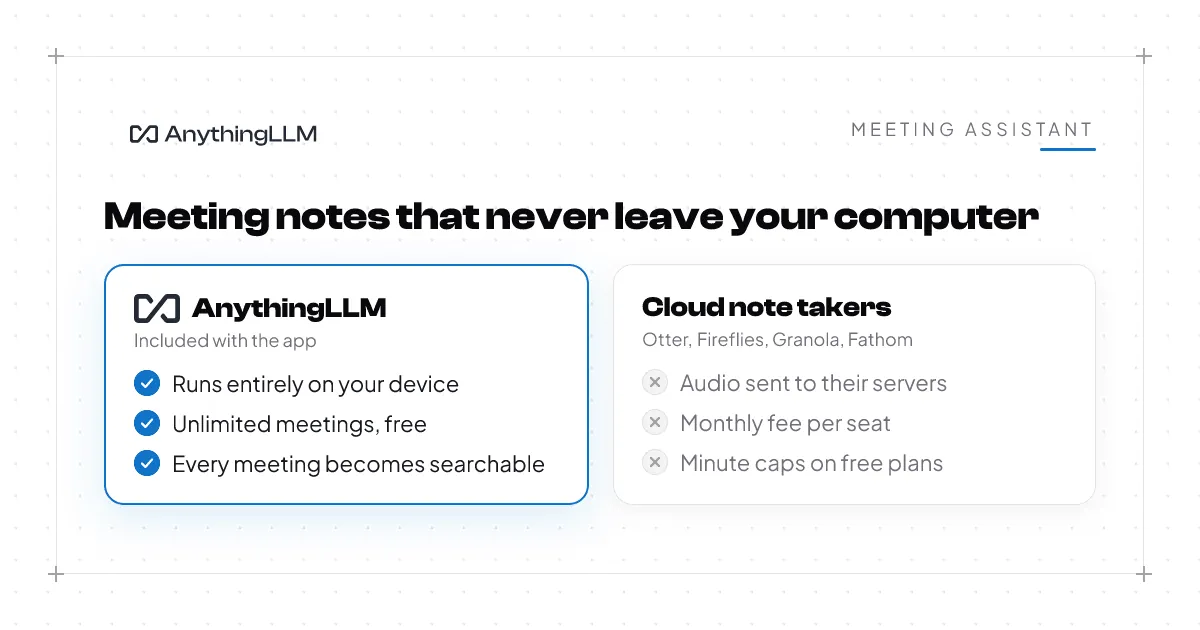
Every week, another meeting note taker raises another round. Otter, Fireflies, Granola, Fathom, and a dozen more all do a version of the same job. They listen to your call, write down what was said, and hand you a summary. It is a useful job. It is also, in 2026, a feature. Not a product.
AnythingLLM Desktop has had a Meeting Assistant built in since v1.10. It records, transcribes, summarizes, and indexes every meeting you have, entirely on your computer. No bot joins your call. No audio leaves your machine. There is no monthly plan, no minute cap, and no paywall. It comes with the app, and the app is free.
We shipped this quietly earlier this year and never wrote it up properly. This post is about why we built it the way we did, and why we think that is the way it should work for everyone.
Your meetings are the most private thing on your computer
Think about what gets said in a normal week of calls. Salaries. Customers by name. A deal that has not closed. A hiring decision. A health issue someone mentions because they are going to be out on Thursday. Someone's kid crying in the background.
The way most note takers work is to send all of that to a server somewhere, run it through a model they rent, and store the results in their cloud. Often a bot with the vendor's name joins the call, so everyone else on the meeting also becomes a user of that vendor whether they wanted to or not.
For a lot of people that trade is fine. For a lot of other people it is not, and they have simply gone without notes because the alternative felt wrong. Lawyers, doctors, finance teams, anyone with an NDA in their inbox, anyone in Europe with a data protection officer down the hall. And honestly, anyone who just thinks it is strange to hand a recording of their private conversations to a startup.
Sending your meetings to the cloud made sense when your laptop could not do the work. That is no longer true.
Your laptop can do this now
The Meeting Assistant runs the NVIDIA Parakeet TDT 0.6B v3 speech model directly on your device. It is about a 2GB download the first time you use it, and after that transcription never touches the network.
It runs on Apple Silicon through CoreML, on NVIDIA, AMD, and Intel graphics cards on Windows, and on a plain CPU when that is all you have. NPU support is coming next. In practice, a three hour meeting transcribes in about two to five minutes depending on your hardware, and about three minutes on a recent Mac or a machine with a decent GPU. You will not sit and watch a progress bar. You hang up, get a coffee, and there is a notification waiting when you sit back down.
Parakeet v3 handles 25 languages, including English, Spanish, French, German, Italian, Portuguese, Dutch, Polish, Ukrainian, and Russian, with punctuation and capitalization done for you. If your team switches languages mid call, that works too.
We recommend 16GB of RAM to be comfortable, which is what most laptops have shipped with for years. You do not need a gaming rig. The lowest end laptop on a store shelf today can transcribe a meeting locally in a reasonable amount of time without making the rest of your computer crawl.
What you actually get
Here is what happens when you use it.
You join a call on any platform. Zoom, Google Meet, Teams, Slack huddles, a phone on speaker. AnythingLLM captures the audio from your computer, so it does not matter what app the meeting is in. When it notices you are in a meeting it offers to start recording. No bot in the participant list, no "Tim's notetaker has joined."
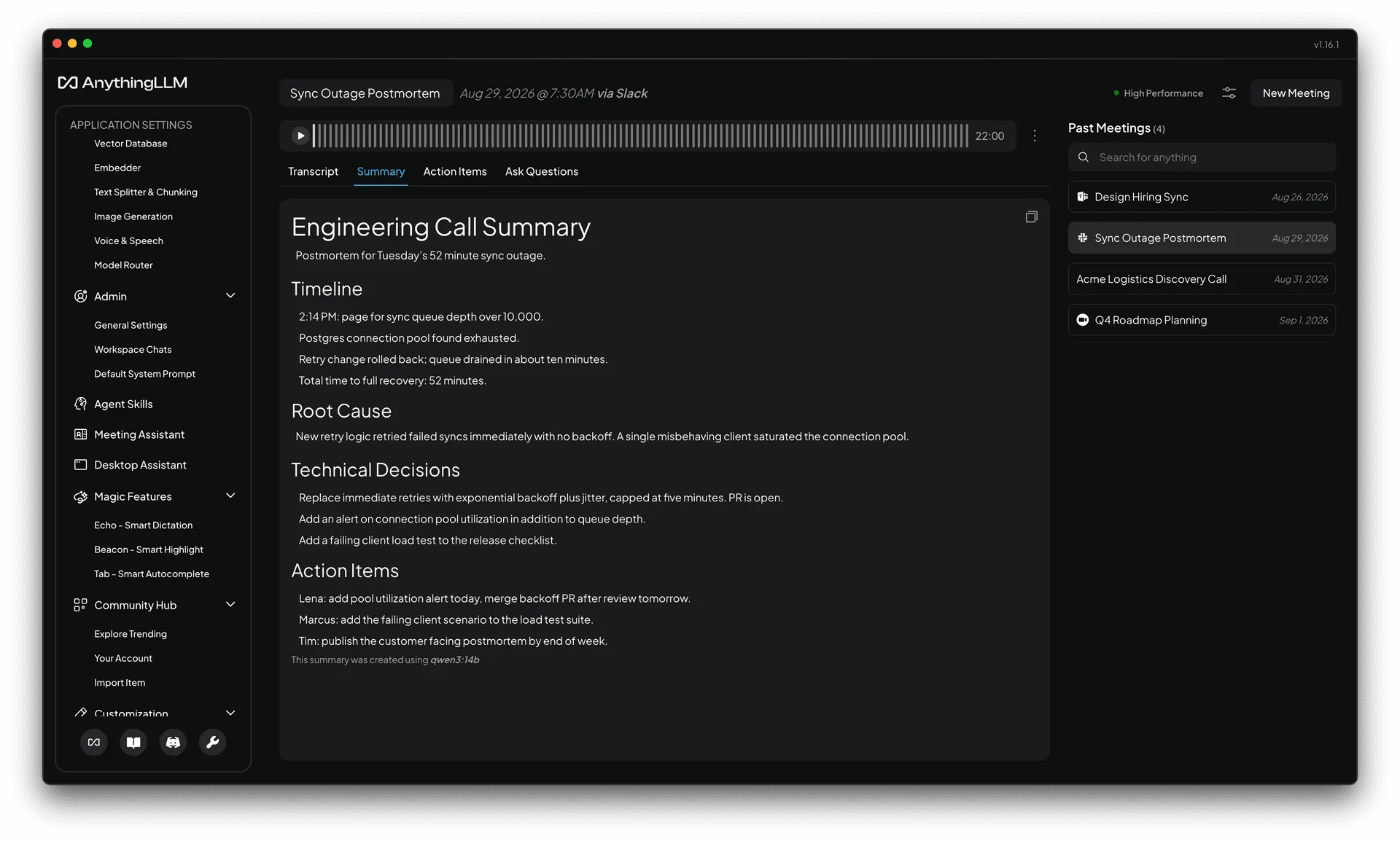
You hang up. Transcription runs on your device. By default it separates your voice from everyone else on the call, and you can turn on full speaker identification to label each person individually. Then your LLM writes a summary and pulls out the action items. That LLM is whichever one you have set up in AnythingLLM, and for most of our users that is a local model too, so the whole pipeline is on device end to end. Because this is AnythingLLM, action items are not just a list. They can call your agent skills and MCP tools, so "send the recap to the team channel" is something the assistant can actually do.
You get a notification when it is done, and the meeting is ready to read.
Summaries are yours to shape. There are built in templates for general meetings, sales calls, and engineering syncs, and you can write your own. If you want every customer call to come out as "pain points, objections, next step," you write that once and every call uses it. You can regenerate any summary with a different template later.
Every meeting becomes part of your context. This is the part the point solutions cannot do. Each transcript is embedded into your local vector database. You can search across every meeting you have ever had, by meaning or by keyword, and you can open a meeting and ask it questions directly. "What did we decide about the Postgres migration?" gets an answer with the exact moment in the recording it came from.
You can fix things. Edit a mistranscribed word, rename a speaker, regenerate the summary. Click any line in the transcript to jump the audio to that moment.
You can bring old recordings in too. Drop in an audio or video file from any past meeting and it goes through the same pipeline.
Free means free
There is no Meeting Assistant plan. There is no minute allowance that resets on the first of the month. There is no "upgrade to unlock speaker identification." The feature is included in AnythingLLM Desktop, which is free and open source, and it stays free. Record a ten minute standup or a four hour board meeting. It costs the same, which is nothing.
That is only possible because the work happens on your hardware instead of ours. When a company has to pay for GPUs in a data center for every minute you record, they have to charge you for every minute you record. When the model runs on the laptop you already own, that cost goes away, and so does the reason for a paywall.
Why this is in AnythingLLM and not its own app
One of our missions with AnythingLLM is to simplify your AI stack. You should not need seven different subscriptions to get one coherent AI experience. One app for chat, one for documents, one for meetings, one for dictation, one for agents, each with its own account, its own billing, and its own copy of your data. That is where the industry has been heading and we think it is backwards.
When we say AnythingLLM, we mean it. The goal is that anything you would want to do with AI, you can do here, on your device first. The Meeting Assistant is not a separate product with a separate model of the world. It shares your workspaces, your documents, your LLM, your agent skills, and your memory. A decision made in a meeting on Tuesday is available to a document chat on Wednesday and an agent task on Thursday, without exporting anything anywhere.
A standalone note taker, cloud or open source, will always be a silo. It knows about your meetings and nothing else. We would rather your meetings be one more thing your assistant knows.
Try it
- Download AnythingLLM Desktop for macOS or Windows, or update if you already have it.
- Open Meeting Assistant from the sidebar and start a recording, or drop in an old audio file.
- The speech model downloads once. After that, everything runs on your machine.
The next time a note taker asks you for a credit card, remember your laptop can already do the job.
The Meeting Assistant is available on macOS (Apple Silicon and Intel) and Windows (x64 and ARM64). Linux support is coming. Read the documentation for setup details and the full feature list.
Learn more