
Why AnythingLLM is moving from Ollama to Lemonade and llama.cpp
AnythingLLM Desktop's built-in engine now runs llama.cpp, managed by AMD's Lemonade. Here is why we moved on from Ollama, and what it means for you.
October 2026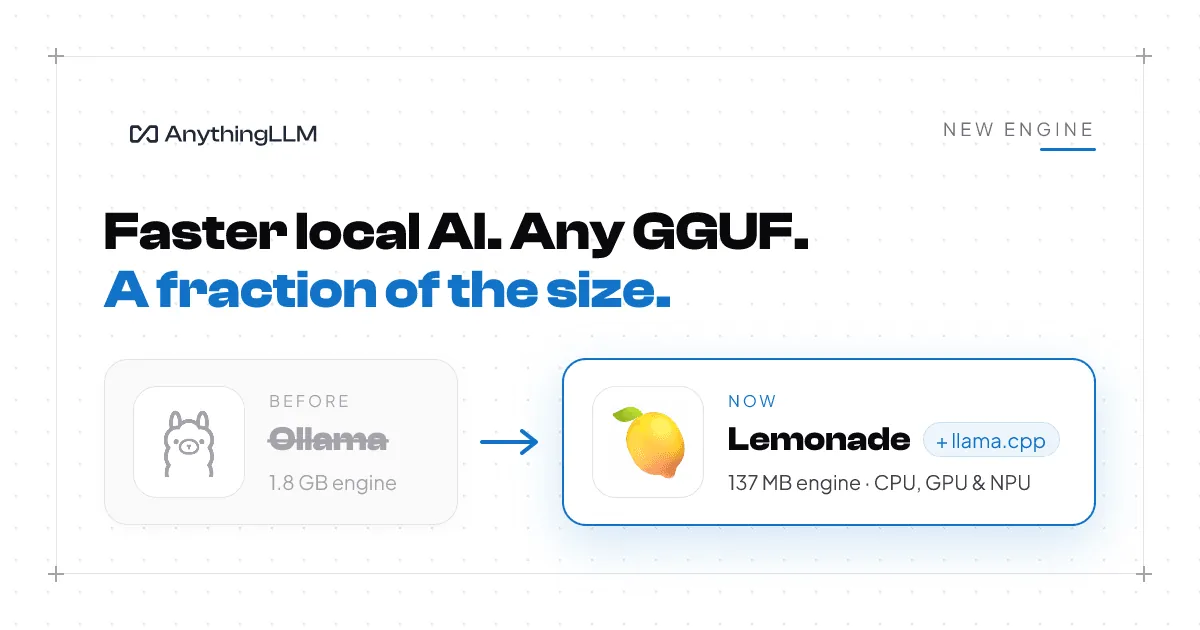
AnythingLLM Desktop has a new built-in engine. Models you download and run inside AnythingLLM now run on llama.cpp, managed by Lemonade, the open-source local AI server built by AMD. It replaces the copy of Ollama we have shipped inside the app since the beginning.
This was not a small decision. AnythingLLM is one of the largest installed bases of Ollama anywhere, and Ollama has been part of the product for years. So we want to be clear about why we made the change, and what it means for you.
Why we picked Ollama in the first place
When we first built a local engine into AnythingLLM, Ollama was the right call. It made running a model on your own computer feel easy at a time when nothing else did. It was open source, it was moving fast, and it did a lot for the local AI community. We owe a lot of our early local users to it.
Ollama runs models using the same technology llama.cpp is built on. For a long time, using Ollama was the easiest way to get llama.cpp into the hands of everyday people.
What changed
llama.cpp got faster than the engine we were shipping. The local AI space moves every week. New model architectures, new quantization formats, new GPU kernels. llama.cpp is where that work lands first, and it is where the performance tuning for each piece of hardware actually happens. Every layer you put between your app and llama.cpp is a layer that lags behind it. Shipping llama.cpp directly means AnythingLLM users get the speed and the new models as soon as they exist.
Ollama updates kept breaking things. Over the last year, upgrading the Ollama we bundle was as likely to break something in AnythingLLM as to fix it. A new release would change how a model family loaded, how a template was handled, or how memory was managed, and we would be on the hook for it in front of our users. So we pinned old versions, which meant missing out on improvements. If we always pulled in the latest Ollama, we would simply inherit its problems. Neither option was good for you.
Our priorities and Ollama's stopped lining up. Ollama's focus has moved toward its cloud models and services. That is a reasonable thing for a company to do. Startups need a business, and we understand that better than most. But AnythingLLM exists to make private, on-device AI something anyone can use, with no account, no subscription, and nothing leaving your computer. We want the engine under AnythingLLM to be built by people whose whole job is making local inference faster on real hardware.
Models should just be models. llama.cpp runs GGUF files, the format the open model community actually publishes. With the new engine, AnythingLLM downloads models straight from Hugging Face or ModelScope, at whatever quantization you pick, with no separate model registry or repackaging step in between. If a model shows up on Hugging Face today, you can run it in AnythingLLM today.
Why Lemonade
Lemonade is an engine for engines. It is open source, it is maintained by AMD, and it gives us one consistent way to run local AI across Windows, macOS, and Linux, on whatever hardware you have.
- llama.cpp everywhere. Lemonade runs llama.cpp on your CPU, and on your GPU through Vulkan for AMD, Intel, and NVIDIA cards, CUDA for NVIDIA, and Metal on Apple Silicon Macs. AnythingLLM detects your hardware at install and sets up the fastest option for it.
- NPU acceleration. On AMD Ryzen AI PCs with an XDNA 2 NPU, Lemonade can run models on the NPU through FastFlowLM. Snapdragon PCs already get NPU acceleration in AnythingLLM through Qualcomm's GenieX. Between the two, the NPUs in the newest AI PCs finally get put to work.
- More than chat, soon. Lemonade also manages engines for image generation, speech to text, and text to speech. That is the foundation for bringing those to AnythingLLM in a way that just works for everyone, not only people comfortable setting up their own tools.
- A real team behind it. Lemonade is built by AMD, who care deeply about local AI running well on every PC. That is exactly the kind of partner we want under AnythingLLM.
The ecosystem behind llama.cpp
llama.cpp is not a side project anymore. In February, ggml.ai, the team behind llama.cpp, joined Hugging Face, with the project staying open source and community led. In September, NVIDIA agreed to acquire Hugging Face. Add AMD's work on Lemonade, and some of the biggest names in AI hardware and open models are now investing in making llama.cpp the fastest runtime on every GPU, and soon every NPU.
That is the foundation we want AnythingLLM sitting on. When those teams make llama.cpp faster, AnythingLLM gets faster.
It is also a lot smaller
The Ollama engine we installed was the same size on every computer, because it carried GPU libraries for every vendor. On Windows that was about 1.8 GB before a single model was downloaded.
The new engine only installs what your machine can use. On a typical Windows PC without an NVIDIA graphics card, the whole engine is about 137 MB. NVIDIA machines add the CUDA libraries they need, and AMD Ryzen AI machines add the NPU engine. Nobody downloads GPU libraries for hardware they do not have.
What this means for you
- New installs use the new engine automatically. Download AnythingLLM, pick a model, and it runs on the fastest hardware in your machine.
- If you already use the built-in engine, nothing breaks. Your current setup keeps working. When you are ready, click Engine upgrade in the top bar of the app. AnythingLLM switches to the new engine and removes the old one. Models need to be downloaded again for the new engine, so do it when you have a minute. A future update will move everyone over automatically.
- Bring any GGUF model. Pick from our recommended models, import a .gguf file, paste any Hugging Face repo, or use the "Use this model" button on Hugging Face to open it straight in AnythingLLM.
- Using your own Ollama is still supported. If you run Ollama yourself and connect AnythingLLM to it, that keeps working exactly as before. This change is only about the engine we ship inside the app.
Thank you
Thank you to the Lemonade team at AMD for working with us on this, and to Georgi Gerganov and every llama.cpp contributor for building the engine that makes local AI possible. And thank you to everyone who runs AnythingLLM on their own computer. You are the reason we keep pushing for the fastest, most private AI we can build.
If you hit anything after upgrading, tell us on GitHub or Discord.
Learn more