
AnythingLLM vs Unsloth Studio: train in Unsloth, put it to work in AnythingLLM
Unsloth Studio is the best place to fine-tune and export an open model. AnythingLLM is where that model does your everyday work: documents, meetings, dictation, agents, your phone, and your team.
Updated October 2026Unsloth made fine-tuning open models fast and cheap, and its Dynamic GGUF quants are some of the most downloaded on Hugging Face. Unsloth Studio, now also a desktop app, puts that whole workflow in one interface: prepare a dataset, fine-tune a model, compare it in an arena, and export it as GGUF. It can chat with models too, with web search, code execution, and MCP.
It is an impressive tool, and it is built around one job: making models. AnythingLLM is built around a different one: using models in your everyday work. Most people who fine-tune a model want to put it somewhere useful afterward. That is where the two fit together.
Unsloth Studio vs AnythingLLM
| Feature | AnythingLLM | Unsloth Studio |
|---|---|---|
| Fine-tune models | No | LoRA, QLoRA, FP8, and full fine-tuning for 500+ models |
| Build training datasets | No | Data Recipes, from PDF, CSV, JSON, DOCX, and TXT |
| Export to GGUF and safetensors | No | Yes |
| Run local models | Built-in engine, 59 curated models, any GGUF from Hugging Face | GGUF, safetensors, and MLX, with a curated hub |
| Persistent document workspaces | Per-project workspaces with citations and pinning | RAG in chat |
| Data connectors | GitHub, GitLab, YouTube, Confluence, Obsidian, websites | No |
| Web search and MCP | Yes | Yes |
| No-code agent builder | Agent Flows | No |
| Scheduled background jobs | Yes | No |
| Meeting transcription and notes | On-device | No |
| System-wide dictation and autocomplete | Magic Echo and Magic Tab | No |
| Cloud model providers | 40+ | OpenAI, Anthropic, vLLM |
| Mobile app | Android, syncs with desktop | No |
| Multi-user team server | Self-host with Docker, or hosted | No |
| License | MIT core | Apache 2.0 core, AGPL-3.0 Studio UI |
| Status | Stable, v1.17 | Beta |
Train in Unsloth, use it in AnythingLLM
The workflow is simple. Fine-tune and export in Unsloth Studio, then bring the model into AnythingLLM:
- Export your model to GGUF from Unsloth Studio and push it to Hugging Face, or keep it local.
- In AnythingLLM's built-in engine, import it by name, for example
hf.co/your-name/your-model-GGUF, with the quant you want. AnythingLLM downloads it and runs it with GPU acceleration on NVIDIA, AMD, or Apple Silicon. - Or run it through Ollama or LM Studio and connect AnythingLLM to either one. Both are auto-detected.
The same works for Unsloth's own Dynamic quants. Any hf.co/unsloth/...-GGUF model can be pulled straight into AnythingLLM.
Now your custom model can answer questions about your documents with citations, summarize your meetings, clean up your dictation, and run agents on a schedule.
Built for using models every day
Unsloth Studio's chat is excellent for testing a model. AnythingLLM is built for living with one:
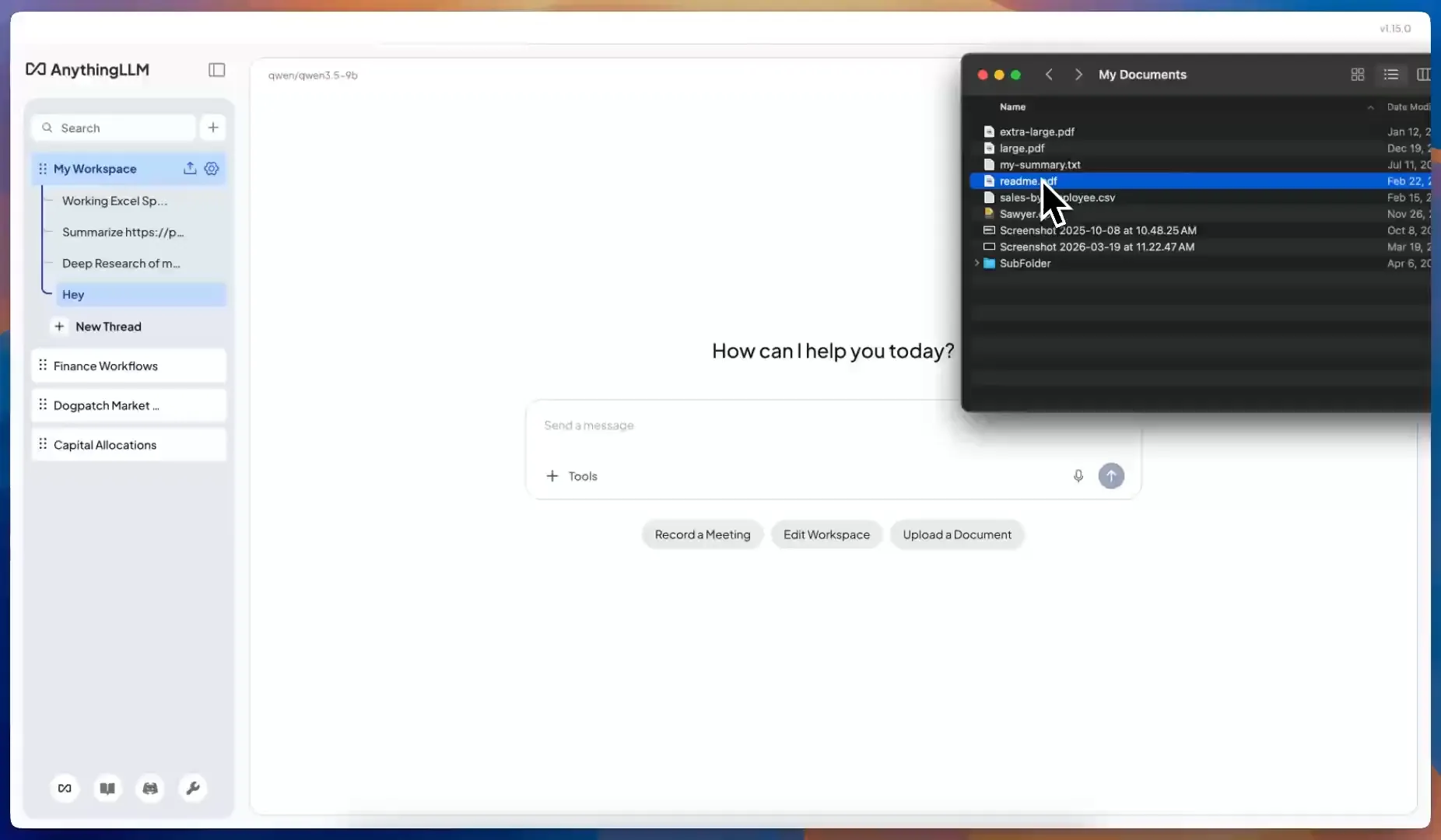
- Workspaces. Each project keeps its own documents and conversations. Files are embedded into a local vector database, answers show their sources, and you can pin key documents and sync content from GitHub, GitLab, YouTube, Confluence, Obsidian, and websites.
- Agents that keep working. Built-in skills for web search, scraping, files, SQL, charts, Gmail, Google Calendar, Outlook, and Office documents, plus MCP. Build your own skills with no-code Agent Flows, and run them on a timer with scheduled jobs. Tool approval means an agent asks before it acts.
- Your meetings. The Meeting Assistant records any call without a bot and transcribes, labels speakers, and summarizes it on your computer.
- Every app on your desktop. Magic Echo dictation, Magic Beacon for highlighted text, and Magic Tab autocomplete work in any app.
- Any model, local or cloud. Use your fine-tuned model alongside 40+ providers, and let the model router pick the right one for each message.
Beyond one computer
AnythingLLM is not only a desktop app. AnythingLLM Mobile runs models on Android and pairs with your desktop by QR code. And the same codebase runs as a multi-user server with admin controls and permissions, free to self-host, or as a hosted private instance. So a model you fine-tune for your company can be served to your whole team through AnythingLLM.
Licensing
Unsloth's core library is Apache 2.0, and the Studio UI is AGPL-3.0, which requires you to share your source if you modify Studio and offer it to others over a network. AnythingLLM's core is MIT, with no such requirement, and white-labeling is part of our plans. For personal use this rarely matters. If you plan to build a product or internal platform on top, it might.
When Unsloth Studio is the right tool
If you are fine-tuning models, preparing datasets, or comparing quants, use Unsloth Studio. Nothing else makes training this approachable, and its model hub gets new releases on day one.
When you are ready to put that model to work, with your files, your meetings, your phone, and your team, download AnythingLLM. It is free, and it runs the models you make.
Frequently asked questions
›Can I run Unsloth models in AnythingLLM?
Yes. In AnythingLLM's built-in engine, import a model by its Hugging Face name, for example hf.co/unsloth/<model>-GGUF with the quant you want, and it downloads and runs it. Models you fine-tune and export to GGUF in Unsloth Studio work the same way, or through Ollama or LM Studio.
›Does AnythingLLM do fine-tuning like Unsloth Studio?
No. AnythingLLM is for using models, not training them. If you want to fine-tune, Unsloth Studio is excellent, and the GGUF it exports runs in AnythingLLM.
›Does AnythingLLM manage and download models?
Yes. AnythingLLM Desktop includes a built-in engine with a curated catalog of 59 models, GPU acceleration on NVIDIA, AMD, and Apple Silicon, and import of any GGUF from Hugging Face. It also connects to Ollama, LM Studio, and 40+ other providers.
›Can agents in AnythingLLM ask before running a tool?
Yes. AnythingLLM supports tool approval, so an agent asks before running a skill or MCP tool, and agents can stop to ask you clarifying questions.